
How to Choose Indoor LED Display Pixel Pitch by Budget: A Complete Guide
- Tse Cherie
- 12 hours ago
- 13 min read

Meta description: Learn how to choose indoor LED display pixel pitch by budget, viewing distance, screen size, and application to avoid overspending or poor image quality.
Indoor LED display pixel pitch is one of the most important factors that determines image clarity, viewing distance, system cost, and long-term usability. For many buyers, the biggest mistake is either choosing a pixel pitch that is too large to save money, or selecting an ultra-fine pitch that exceeds the real application need.
In B2B LED display projects, the right choice is rarely “the smaller the better.” A professional selection process should start with the viewing distance, screen size, content type, installation environment, and budget range. This article explains how indoor LED display pixel pitch works, how it fits into the LED display system, and how to choose the right pixel pitch for meeting rooms, showrooms, lobbies, command centers, and other indoor applications.
1. What Is Indoor LED Display Pixel Pitch?

Indoor LED display pixel pitch refers to the distance between the center points of two adjacent LED pixels. It is usually measured in millimeters and expressed as a “P” value, such as P4, P3, P2.5, P1.86, P1.53, or P1.25.
For example:
P2.5 means the distance between two adjacent pixels is 2.5 mm.
P1.86 means the distance between two adjacent pixels is 1.86 mm.
P1.25 means the distance between two adjacent pixels is 1.25 mm.
The smaller the pixel pitch, the higher the pixel density. Higher pixel density allows the LED screen to display sharper images, smaller text, smoother graphics, and more detailed video content at close viewing distances.
However, smaller pixel pitch also means higher cost. It usually requires more LED lamps, more precise LED modules, higher receiving card loading capacity, stronger video processing, better cabinet flatness, and more careful maintenance.
A simple rule is:
Larger P value = lower cost and lower resolution.Smaller P value = higher clarity and higher cost.
Common indoor LED display pixel pitch levels include:
Pixel Pitch | Typical Positioning | Common Viewing Distance |
P4 / P3 | Budget-friendly, long-distance viewing | 6 m and above |
P2.5 | Balanced choice for standard indoor projects | 3–6 m |
P1.86 / P1.53 | Fine-pitch display for close viewing | 2–4 m |
P1.25 and below | High-resolution display for premium applications | 1–3 m |
For most projects, the goal is not to buy the smallest pixel pitch, but to select the largest pixel pitch that still delivers a clear image at the actual viewing distance.
2. What Role Does Pixel Pitch Play in an LED Display System?
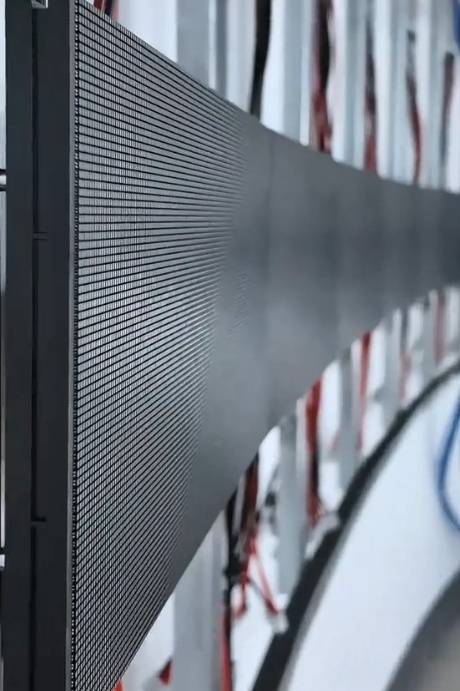
Pixel pitch defines the image resolution and visual performance of an indoor LED display. It also affects the configuration of the entire LED display system, including LED modules, LED cabinets, receiving cards, sending cards, video processors, control software, power supplies, and signal transmission.
In a complete LED control system, the pixel pitch determines how many pixels exist within a certain screen area. This pixel quantity directly affects the data volume that must be processed and transmitted.
For example, under the same screen size:
A P4 screen has fewer pixels and lower control system requirements.
A P2.5 screen provides higher resolution and more image detail.
A P1.25 screen has much higher pixel density and requires more powerful signal processing and control hardware.
This is why fine-pitch indoor LED displays are not only more expensive at the module level. They may also require:
Higher-capacity receiving cards
More sending card outputs
Higher-resolution video processors
More careful cabinet communication planning
More accurate calibration and color correction
Better heat dissipation and power distribution
From a system integration perspective, pixel pitch is the foundation of project configuration. Once the pixel pitch and physical screen size are confirmed, engineers can calculate total resolution, control card loading, signal transmission layout, power consumption, and maintenance access.
For procurement teams, understanding pixel pitch helps prevent both overconfiguration and underconfiguration. A screen with insufficient resolution may look pixelated, while an unnecessarily small pitch may increase the budget without bringing visible improvement to the actual audience.
3. How Does Indoor LED Display Pixel Pitch Work?
Indoor LED display pixel pitch works by controlling the density of LED pixels on the display surface. Each LED pixel emits light according to image data received from the LED control system. The closer the pixels are to each other, the smoother and more detailed the image appears at close range.
A typical LED display signal chain includes:
Video sourceA computer, media player, camera system, conferencing device, or control platform outputs the image or video signal.
Video processorThe video processor handles signal scaling, input switching, image layout, splicing, and multi-window display.
Sending card or LED controllerThe sending card converts the processed image signal into LED display data.
Receiving cardThe receiving card receives data from the sending card and distributes it to LED modules inside each cabinet.
LED modules and driver ICsThe LED modules light up according to the data instructions, forming the final image.
Pixel pitch affects how much image data this system must handle. A smaller pitch creates more pixels within the same screen size, which means the sending card, receiving card, video processor, and control software must manage more data.
Viewing distance is another key part of how pixel pitch works. If viewers are far away, their eyes cannot easily distinguish individual pixels, so a larger pitch can still look acceptable. If viewers are close, a larger pitch may show visible pixel structure, causing a rough or low-quality viewing experience.
This is especially important for indoor LED display applications because indoor viewers are usually closer to the screen than outdoor viewers. A P3 or P4 display may work well in a large hall, but it can appear grainy in a small conference room or reception area.
The basic selection logic is:
Long viewing distance allows larger pixel pitch.
Short viewing distance requires smaller pixel pitch.
Detailed content requires higher resolution.
Larger screen size can sometimes tolerate larger pitch if viewed from farther away.
Close-viewing brand spaces require finer pitch for a cleaner image.
In practical projects, pixel pitch should always be evaluated together with viewing distance, screen size, content type, and system configuration.
4. What Types of Indoor LED Display Pixel Pitch Are Available?
Indoor LED display pixel pitch can be classified by budget level, viewing distance, and application scenario. The most common options are P4, P3, P2.5, P1.86, P1.53, P1.25, P1.0, and below.
4.1 P4 and P3: Budget-Friendly Options for Long-Distance Viewing
P4 and P3 are commonly used when the screen is large and the audience is far from the display. These options are suitable for projects with limited budgets and relatively simple content requirements.
Typical applications include:
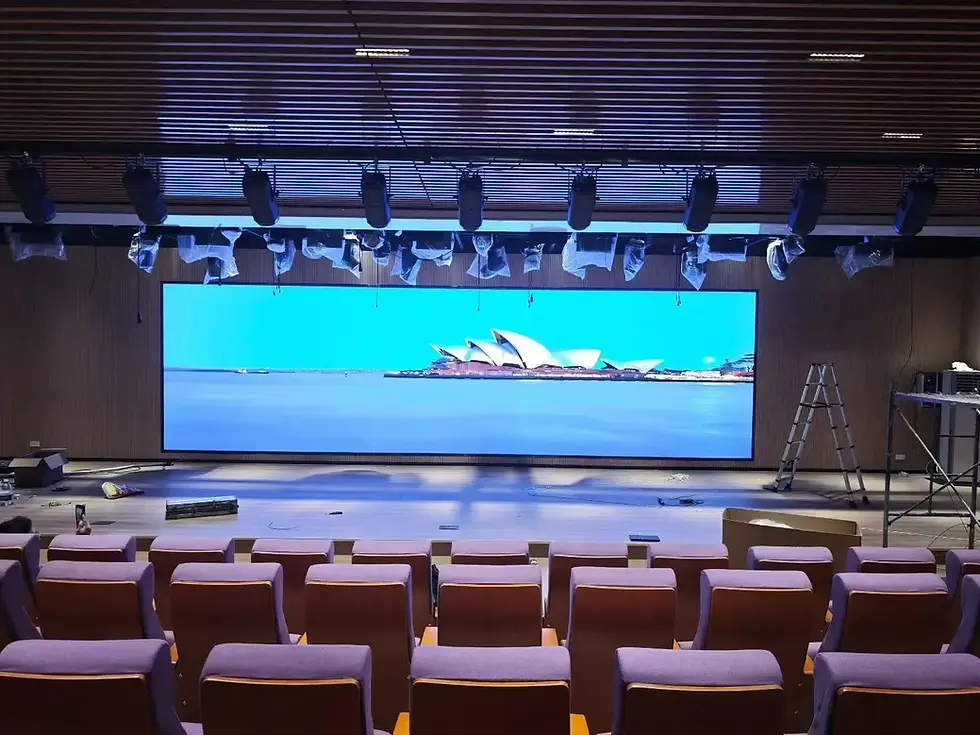
Large lecture halls
Auditoriums
Stage background screens
Large exhibition hall walls
Public information displays
Indoor promotional screens
These pixel pitches are suitable when the main viewing distance is usually above 6 meters. They work well for large text, promotional videos, background visuals, and simple announcements.
The main advantage of P4 and P3 is cost control. They use fewer pixels per square meter, which reduces LED module cost, control system load, power density, and maintenance pressure.
However, they are not suitable for close-viewing areas. In front desk image walls, small meeting rooms, showrooms, or monitoring centers, P3 and P4 may show obvious pixelation within a few meters.
4.2 P2.5: Balanced Choice for Standard Indoor Projects
P2.5 is widely used in standard indoor LED display projects because it offers a practical balance between cost and image clarity.
Typical applications include:
Corporate meeting rooms
Hotel banquet halls
Training rooms
General exhibition areas
Multi-purpose conference rooms
Indoor advertising displays
P2.5 is suitable for viewing distances of around 3–6 meters. It can display PowerPoint slides, images, charts, videos, and general text with acceptable clarity in most business environments.
For many commercial and government projects, P2.5 is a cost-effective middle range. It provides better image quality than P3 while remaining easier to configure and maintain than P1.86 or P1.53.
If the budget is limited, it is often better to slightly adjust the screen size instead of downgrading from P2.5 to P3 in a close-viewing meeting room. A smaller P2.5 screen may deliver a better viewing experience than a larger P3 screen when viewers sit close.
4.3 P1.86 and P1.53: Fine-Pitch Options for Close Viewing
P1.86 and P1.53 are common fine-pitch indoor LED display solutions. They are designed for applications where viewers are closer to the screen and need to see detailed information.
Typical applications include:
Corporate reception walls
Command centers
Security monitoring rooms
Smart city operation centers
High-end exhibition halls
Real estate sales centers
Medical beauty display areas
Brand showrooms
These pixel pitches are suitable for viewing distances of around 2–4 meters. They provide smoother images, better text readability, and less visible pixel structure.
In command centers and monitoring rooms, P1.86 or P1.53 can improve data visibility and reduce eye fatigue during long-term viewing. In lobbies and showrooms, they can also create a more refined visual impression.
Between P1.86 and P1.53, the price difference can be noticeable. For many projects, P1.86 already provides sufficient clarity. If the budget is tight, P1.86 can be a more practical choice than P1.53 while still maintaining good close-viewing performance.
4.4 P1.25 and Below: High-Resolution Options for Premium Spaces
P1.25, P1.0, and P0.9 are used for high-resolution indoor LED display applications. They are suitable for very close viewing and premium visual environments.
Typical applications include:
Broadcast studios
Immersive exhibition spaces
High-end brand showrooms
Executive conference centers
Luxury retail environments
Data visualization rooms
Close-viewing presentation walls
These products provide very fine image detail and smoother visual performance at short distances. However, they also require higher project budgets, more accurate installation, stronger video processing, and more careful maintenance.
For many high-end indoor projects, P1.25 is already sufficient. P1.0 or P0.9 should be selected only when the application truly requires ultra-close viewing, extremely high resolution, or broadcast-level visual performance.
5. Where Is Indoor LED Display Pixel Pitch Commonly Used?

Different indoor LED display applications require different pixel pitch choices. The right selection depends on how close people are to the screen, what content is displayed, and how important image detail is to the project.
5.1 Meeting Rooms
Meeting rooms usually display PowerPoint presentations, documents, video conferencing content, charts, and images. If the room is medium-sized and the viewing distance is around 3–6 meters, P2.5 is often suitable.
For small executive meeting rooms or high-level conference rooms where viewers sit closer, P1.86 may provide a better experience.
5.2 Corporate Lobbies and Reception Areas
Lobby screens are often viewed at close range by visitors, customers, and employees. Since they represent the company’s image, a rough pixel structure can reduce the perceived quality of the space.
For reception walls and brand image screens, P1.86 is usually a safer starting point. P1.53 or P1.25 can be considered for premium environments.
5.3 Command and Control Centers
Command centers require long-time viewing and detailed information display. Operators may need to monitor video feeds, data dashboards, maps, alarm systems, and multiple signal windows.
In these environments, P1.86 or P1.53 is usually more suitable than P2.5 or P3. A finer pitch improves readability and reduces the discomfort caused by visible pixels.
5.4 Exhibition Halls and Showrooms
Exhibition halls may include different viewing distances in the same project. Large background walls may be viewed from far away, while product introduction zones may be viewed closely.
A mixed pixel pitch design can be practical:
P2.5 or P3 for distant background displays
P1.86 for close product zones
P1.53 or P1.25 for premium interactive areas
This approach helps control cost while keeping the best visual quality in key areas.

5.5 Hotel Ballrooms and Event Venues
Hotel ballrooms often use LED screens for speeches, events, weddings, conferences, and stage backgrounds. Since the audience is usually several meters away, P2.5 is commonly used.
For larger event spaces, P3 may also be acceptable. For high-end venues with close audience seating, P1.86 can be considered.
5.6 Broadcast Studios and Immersive Display Rooms
Broadcast studios and immersive rooms require high visual quality, fine detail, camera compatibility, and stable color performance. P1.25 and below are more commonly used in these cases.
Besides pixel pitch, these applications also need to consider refresh rate, grayscale, color calibration, scan mode, camera shooting performance, video processor capacity, and control software functions.

6. What Are the Main Advantages?
Choosing indoor LED display pixel pitch according to budget and viewing distance brings several practical advantages for engineers, integrators, and buyers.
6.1 Better Budget Control
Pixel pitch has a major impact on total project cost. By selecting the right pitch instead of blindly choosing the smallest one, buyers can avoid unnecessary spending.
For example, using P1.25 in a room where viewers are 6 meters away may not provide visible value compared with P2.5 or P3. The extra budget may be better used for screen size, installation quality, backup system, or better video processing.
6.2 Improved Viewing Experience
A properly selected pixel pitch ensures the image is clear enough for the actual viewing distance. It prevents two common problems:
The screen looks grainy because the pixel pitch is too large.
The project becomes too expensive because the pixel pitch is smaller than necessary.
6.3 More Reasonable System Configuration
When pixel pitch is selected correctly, the LED control system can be configured more efficiently. Receiving card loading, sending card output, video processor resolution, and cabinet communication can all be planned based on real needs.
This helps avoid both insufficient performance and unnecessary system complexity.
6.4 Lower Long-Term Maintenance Pressure
Fine-pitch LED displays require more precise maintenance and handling. Choosing a suitable pitch can reduce maintenance difficulty, especially for projects that do not have professional technical staff on site.
6.5 Flexible Design for Different Zones
In large projects, different areas can use different pixel pitches. This allows the project to maintain high image quality in close-viewing areas while reducing cost in long-distance viewing areas.
7. What Are the Limitations?
Although budget-based pixel pitch selection is useful, it should not be the only decision factor. Several limitations need to be considered.
7.1 Low Budget Cannot Replace Viewing Distance Requirements
If people view the screen from a short distance, using a large pitch only to save money may lead to poor image quality. For example, P3 or P4 may not be suitable for front desk displays, small meeting rooms, or high-end showrooms.
7.2 Fine Pitch Increases System Requirements
Smaller pixel pitch means more pixels, more data, and higher system requirements. It may require more receiving cards, higher sending card capacity, better video processors, and more careful signal transmission planning.
7.3 Maintenance Can Be More Demanding
Fine-pitch LED modules are more delicate. They require careful installation, accurate alignment, and professional maintenance. In some projects, long-term service cost may be underestimated.
7.4 Content Requirements May Change
A screen originally used for videos may later be used for data dashboards, small text, or multi-window display. If the selected pixel pitch is too large, the screen may not meet future needs.
7.5 Screen Size and Resolution Must Be Considered Together
A small screen with a large pixel pitch may have insufficient total resolution. Even if the price is attractive, it may not display text, charts, or detailed images clearly.
8. How to Choose Indoor LED Display Pixel Pitch?
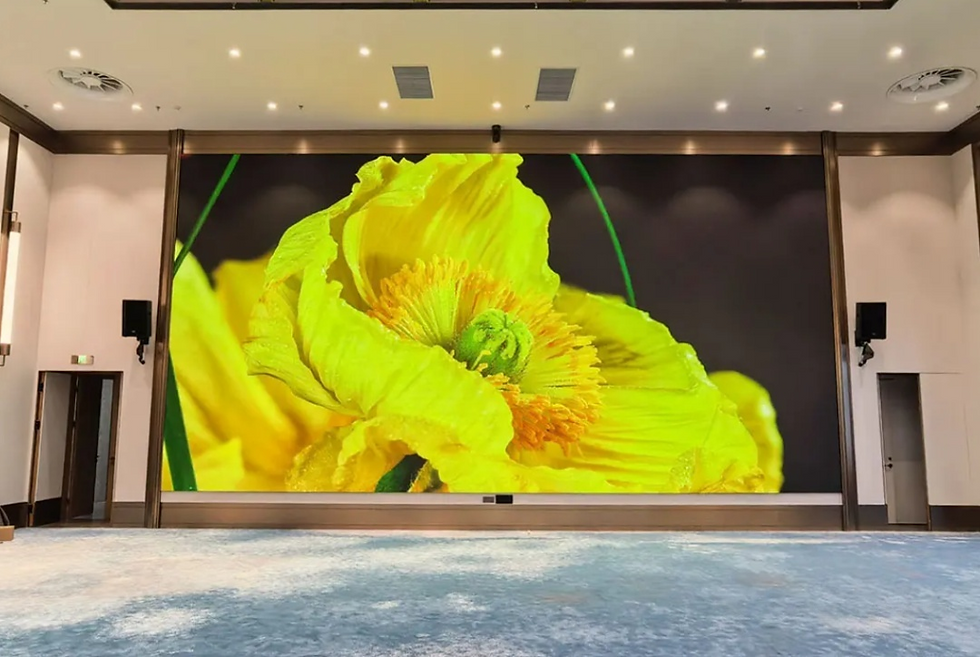
A professional selection process should combine viewing distance, budget, content type, screen size, control system configuration, and maintenance requirements.
8.1 Choose by Viewing Distance
Viewing distance is the most direct reference.
Viewing Distance | Recommended Pixel Pitch |
1–2 m | P1.25 / P1.53 |
2–4 m | P1.86 / P1.53 |
3–6 m | P2.5 |
6 m and above | P3 / P4 |
This table is a practical reference, not a fixed rule. If the screen displays small text or detailed data, a smaller pitch may be required.
8.2 Choose by Budget Level
A budget-based selection can be simplified as follows:
Budget Level | Suitable Pixel Pitch | Typical Use |
Entry-level | P4 / P3 | Large halls and distant viewing |
Medium budget | P2.5 | Standard meetings and commercial displays |
Medium-high budget | P1.86 / P1.53 | Lobbies, control rooms, premium showrooms |
High-end budget | P1.25 and below | Broadcast, immersive, ultra-close viewing |
This method helps buyers quickly narrow the selection range before discussing detailed specifications.
8.3 Match the Content Type
If the screen mainly plays large text, promotional videos, and background images, a larger pitch may be acceptable.
If the screen needs to display detailed content such as:
Spreadsheets
Monitoring windows
Data dashboards
Maps
Small text
Multi-window layouts
Then P1.86, P1.53, or P1.25 may be more appropriate depending on the viewing distance.
8.4 Confirm Total Resolution
After choosing a possible pixel pitch, calculate the final screen resolution according to the physical size.
The basic logic is:
Resolution=Screen SizePixel Pitch\text{Resolution} = \frac{\text{Screen Size}}{\text{Pixel Pitch}}Resolution=Pixel PitchScreen Size
A smaller pitch provides more pixels in the same area, but it also increases data processing requirements. The final resolution should match the input signal, video processor output, and LED control system capacity.
8.5 Check Control System Compatibility
Pixel pitch must match the LED control system. Important items include:
Receiving card loading capacity
Sending card output resolution
Video processor resolution
Control software compatibility
Signal transmission method
Cabinet communication design
Backup and redundancy requirements
For fine-pitch LED displays, the control system should be checked carefully before installation.
8.6 Consider Cabinet Structure and Maintenance
Indoor LED display performance also depends on cabinet precision and maintenance design.
Check the following points:
Cabinet flatness
Front maintenance or rear maintenance
Module replacement method
Power supply layout
Receiving card access
Cable management
Heat dissipation
Installation accuracy
For P1.86 and below, cabinet flatness and module alignment are especially important.
8.7 Avoid Unnecessary Premium Specifications
Not every indoor LED display needs ultra-fine pitch, custom high contrast, or excessive control redundancy. For standard presentations and promotional use, a stable standard configuration may be enough.
However, for broadcast studios, camera shooting, command centers, and high-end visualization rooms, higher refresh rate, better grayscale, calibration, and backup control may be necessary.
8.8 Use Mixed Pixel Pitch to Save Budget
For large exhibition or showroom projects, using the same fine pitch everywhere can waste budget.
A more efficient design is:
Use P2.5 or P3 for distant viewing areas.
Use P1.86 for close-viewing key areas.
Use P1.25 only for ultra-close or premium zones.
This method can reduce total cost while maintaining strong visual quality in important areas.
9. Which Brands Are Common in the Market?
The indoor LED display market includes different types of brands and suppliers. Buyers should evaluate not only the LED display manufacturer, but also the control system, video processor, and local integration capability.
9.1 LED Display Manufacturers
LED display manufacturers provide LED modules, cabinets, power supplies, receiving cards, and full display solutions. When comparing manufacturers, buyers should check:
Pixel pitch options
Cabinet precision
Module consistency
Aging test process
Color calibration capability
Spare parts availability
Engineering support
Warranty and service response
9.2 LED Control System Brands
Control system brands provide sending cards, receiving cards, LED controllers, and control software. Their products affect signal stability, grayscale performance, loading capacity, and cabinet communication.
Selection factors include:
Receiving card loading capacity
Compatibility with common LED modules
Support for high refresh rate
Redundancy functions
Software usability
Technical documentation
Long-term product availability
9.3 Video Processor Brands
Video processors are important when the LED display needs signal switching, scaling, splicing, multi-window layout, or multi-source input.
Buyers should evaluate:
Input and output interfaces
Maximum output resolution
Scaling quality
Window management
Switching performance
Compatibility with sending cards
Control method
9.4 System Integrators and Channel Partners
A reliable integrator is important for project success. Installation quality, signal routing, power distribution, cabinet alignment, software configuration, and maintenance support can strongly affect the final display result.
For B2B buyers, the most suitable choice is usually not determined by brand name alone. It should be based on product quality, system compatibility, project experience, and after-sales capability.
10. Conclusion
Indoor LED display pixel pitch selection is a balance between image clarity, viewing distance, budget, screen size, content requirement, and system configuration. A smaller pixel pitch provides higher resolution, but it also increases cost, control system requirements, installation precision, and maintenance difficulty.
For long-distance and budget-sensitive projects, P3 or P4 can be considered. For standard meeting rooms, hotel ballrooms, and general indoor commercial displays, P2.5 is often a practical choice. For close-viewing lobbies, command centers, and high-end showrooms, P1.86 or P1.53 provides better detail and visual comfort. For broadcast studios, immersive spaces, and ultra-close premium environments, P1.25 or below may be required.
The key selection principle is simple:
Choose the largest pixel pitch that still meets the required viewing effect.
This approach helps avoid unnecessary spending while ensuring that the indoor LED display delivers the right image quality for the actual application. Before purchasing, buyers should evaluate viewing distance, content type, total resolution, LED control system compatibility, receiving card loading, video processor requirements, cabinet structure, signal transmission, and long-term maintenance.

Comments