
Commercial Display vs TV: Complete Guide to Advertising Displays, Touch Displays, and Home TVs
- Tse Cherie
- 1 day ago
- 15 min read

Meta Description: Compare commercial displays, advertising displays, touch displays, and home TVs for B2B use, including functions, applications, selection tips, and limitations.
1. What Is a Commercial Display?

A commercial display is a professional display device designed for business, public, and industrial environments where screens are used for advertising, information delivery, customer interaction, meeting collaboration, or digital signage management.
Unlike a home TV, which is mainly designed for private entertainment, a commercial display is built for longer operating hours, higher installation flexibility, centralized content control, stronger hardware reliability, and better integration with commercial systems.
In real B2B projects, “commercial display” is not only one product. It is a broader category that may include:
LCD advertising displays
Interactive touch displays
Smart conference displays
Teaching interactive panels
LCD video walls
LED video walls
Self-service display terminals
Digital signage kiosks
Custom-shaped commercial screens
These products are widely used in retail stores, shopping malls, hotels, corporate offices, schools, transportation hubs, banks, restaurants, exhibition halls, and control rooms.
Many first-time buyers make the same mistake: they compare only the screen size and price, then choose a low-cost home TV for store advertising or public display. At the beginning, this may look like a simple way to save money. However, after months of continuous operation, problems may appear, including image retention, screen burn-in, low brightness, poor visibility, manual content updates, overheating, and higher maintenance cost.
Therefore, understanding the difference between commercial displays, advertising displays, interactive touch displays, and home TVs is important for engineers, system integrators, procurement teams, channel partners, and B2B customers who need a reliable display system.
2. How Does a Commercial Display Work?
A commercial display works as a professional visual terminal in a digital signage, meeting, education, retail, or AV system. Its basic function is to receive content, process the signal, display images or videos, and in many cases communicate with management software or external control devices.
Although a commercial display may look similar to a home TV from the front, the system logic behind it is different.
A typical commercial display system may include:
Display panel
Main control board
Media player
Power supply
Cooling structure
Operating system
Content management software
Network module
Touch module, if it is an interactive display
Mounting and protection structure
The basic signal and content flow can be understood as:
Content source
Media player or control board
Image processing
Display panel driver
Screen output
For a simple advertising display, the content source may be a USB drive, built-in Android system, external media player, or cloud-based content management platform.
For a networked digital signage project, the working logic is more advanced:
Content management platform
LAN, Wi-Fi, 4G, or cloud network
Built-in media player or external signage player
Commercial display main board
LCD panel output
This allows operators to update content remotely, set playback schedules, insert emergency messages, control multiple screens, and manage different stores from one platform.
For an interactive touch display, the system also includes touch input:
User touch input
Touch sensor or touch frame
Touch controller
Android system or OPS computer
Application software
Display output
This makes the interactive display not only a screen, but also a human-machine interaction terminal.
In LED display projects, the system structure is different. A direct-view LED video wall normally uses a video processor, sending card, receiving card, LED cabinet, and LED module. The signal chain is usually:
Video source
Video processor or sending card
Network cable or fiber
LED receiving card
LED modules
LED pixels
Commercial LCD displays and LED video walls are different technologies, but they often appear in the same B2B project. For example, a shopping mall may use LCD advertising displays for wayfinding, interactive touch displays for customer service, and LED video walls for large-format brand promotion.
3. What Types of Commercial Displays Are Available?
Commercial displays can be classified by function, installation method, operating environment, and control method. Understanding these categories helps buyers choose the right product instead of using one screen type for every application.
3.1 LCD Advertising Display
An LCD advertising display is mainly used for digital signage and promotional content playback. It is common in retail stores, restaurants, hotels, banks, elevators, shopping malls, and public service areas.
Typical features include:
Image and video playback
Scheduled content display
Remote content publishing
Split-screen layout
Scrolling text
Automatic power on/off
Portrait or landscape installation
Optional high-brightness panel
Common forms include wall-mounted advertising displays, floor-standing advertising displays, window-facing displays, dual-sided displays, and elevator advertising screens.
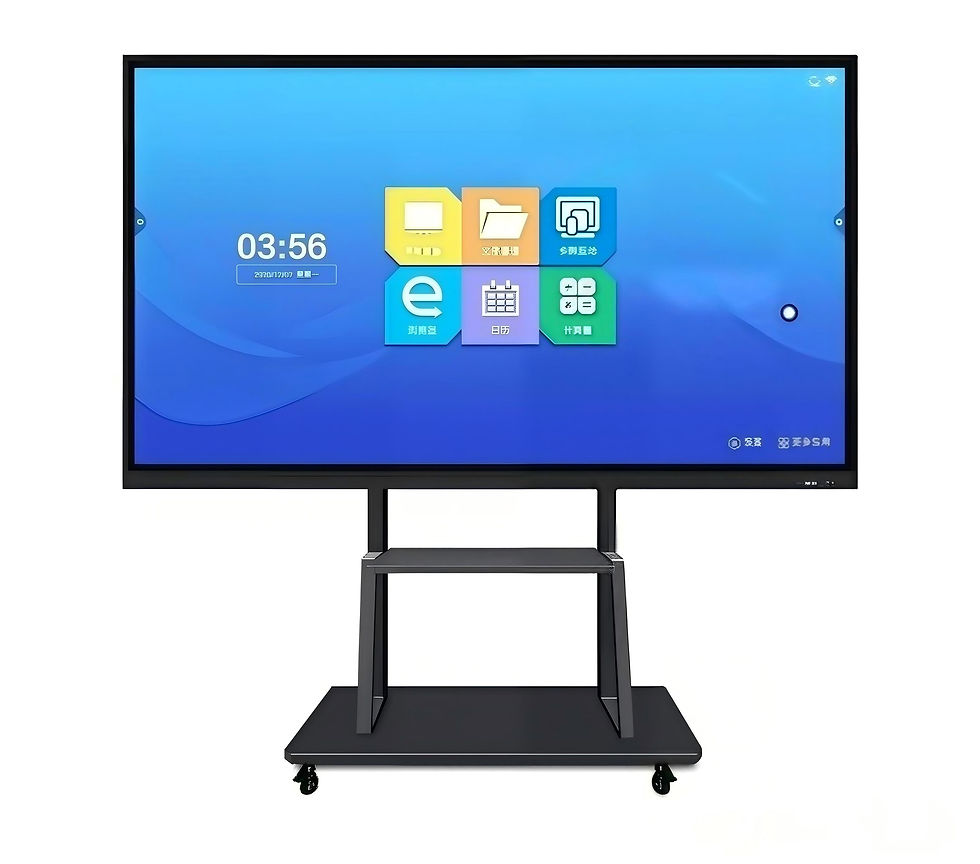
3.2 Interactive Touch Display
An interactive touch display adds touch input and software interaction to the screen. It is widely used in showrooms, exhibition halls, meeting rooms, schools, service centers, and retail experience areas.
Typical functions include:
Multi-touch writing
Digital whiteboard
Wireless screen sharing
Product browsing
Self-service inquiry
Document annotation
Customer interaction
Training and presentation
It is suitable when users need to interact with the content instead of only watching it.
3.3 Smart Conference Display
A smart conference display is designed for corporate meeting rooms and collaboration spaces. It usually combines display, writing, wireless projection, video conferencing, speakers, microphones, and software tools.
Compared with a normal TV, a smart conference display provides more practical meeting functions, such as whiteboard annotation, multi-device screen sharing, and remote meeting integration.
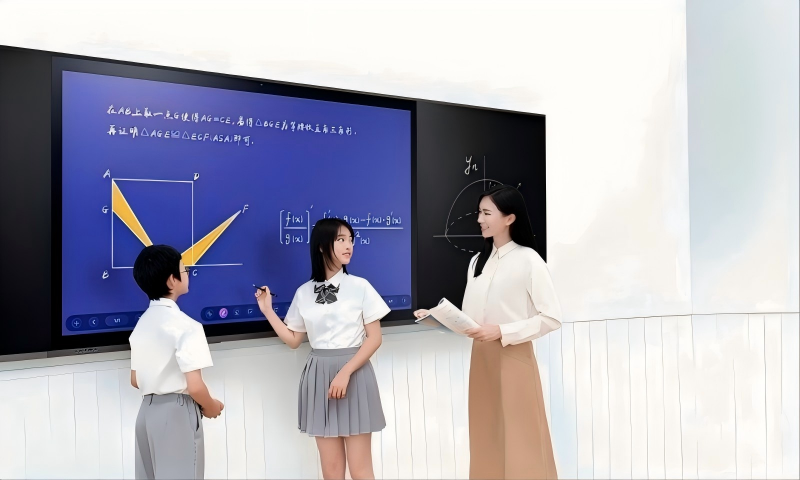
3.4 Teaching Interactive Panel
A teaching interactive panel is developed for classrooms and training environments. It supports writing, annotation, courseware display, multimedia teaching, and teacher-student interaction.
Important requirements include low writing latency, anti-glare glass, strong touch accuracy, stable software, and durable front glass.
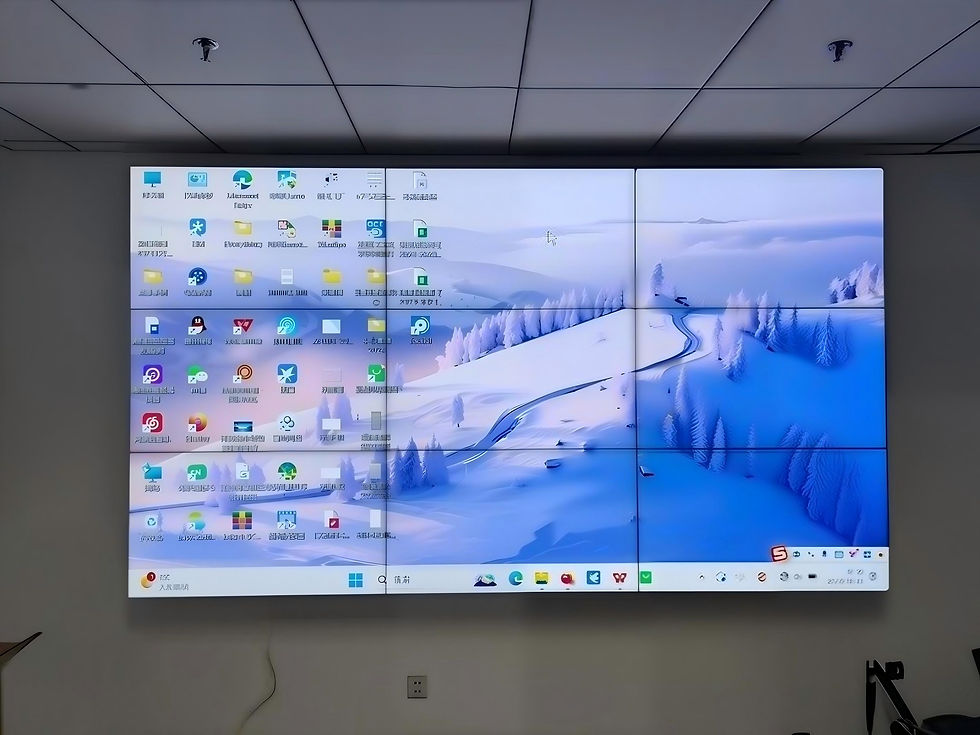
3.5 LCD Video Wall
An LCD video wall uses multiple LCD panels to create a large display area. It is commonly used in monitoring rooms, command centers, corporate lobbies, exhibition spaces, and control rooms.
LCD video walls usually require video wall controllers, matrix switchers, or signal processors. Their main limitation is the visible bezel between panels.
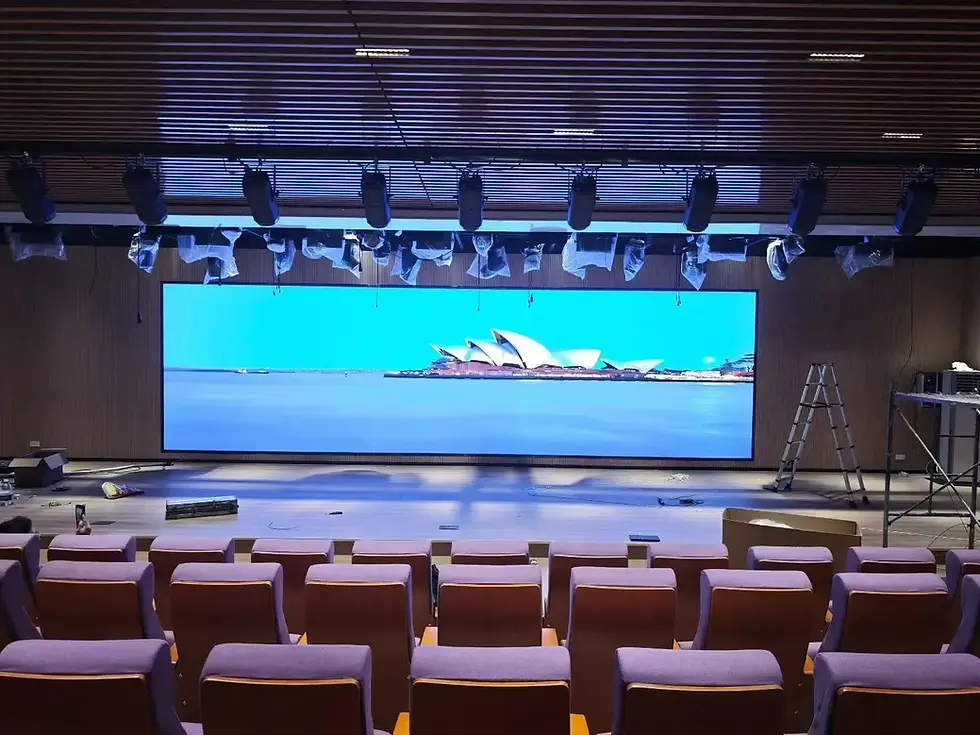
3.6 LED Video Wall
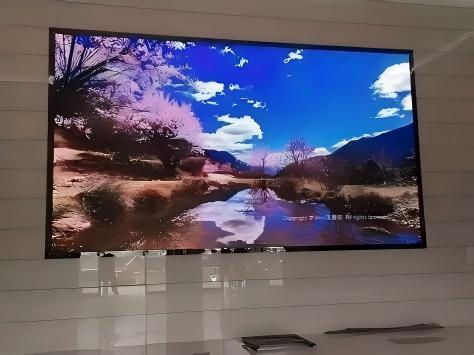
An LED video wall is built from LED modules and cabinets. It is suitable for large-format, seamless, high-brightness display applications.
A complete LED display system normally includes:
LED modules
LED cabinets
Power supplies
Sending card
Receiving card
Video processor
Control software
Signal cables
Power cables
Mounting structure
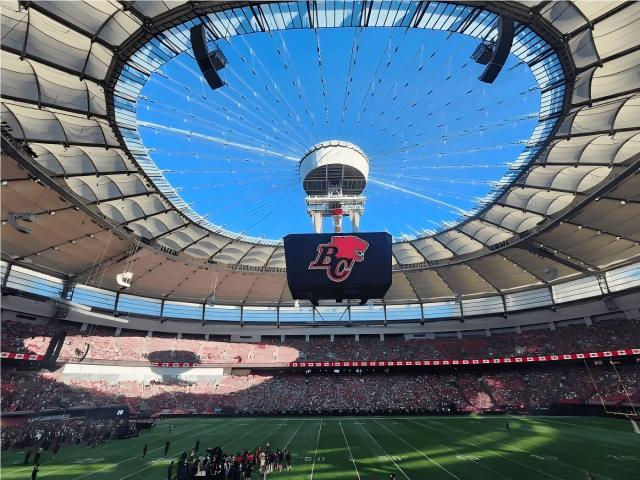
LED video walls are often used for outdoor advertising, stage backgrounds, shopping mall atriums, command centers, conference halls, and brand showrooms.
3.7 Self-Service Display Terminal
A self-service display terminal combines screen, touch system, enclosure, software, and sometimes payment or printing modules. It is used for ticketing, ordering, check-in, queue management, and customer service.
This type of product requires stronger structural design, software integration, and long-term operational stability.
4. Where Is a Commercial Display Commonly Used?
Commercial displays are used wherever visual communication, public information, brand promotion, or interaction is required. Different products fit different scenarios.
4.1 Retail Stores and Chain Shops
Retail stores use advertising displays for product promotion, new arrivals, membership campaigns, discounts, and brand videos.
Commercial advertising displays are suitable for retail because they support long operating hours, portrait installation, scheduled playback, and remote content updates. For chain stores, headquarters can publish new campaigns to many branches without sending staff to update USB drives manually.
4.2 Restaurants, Cafes, and Beverage Shops
Restaurants and cafes often use commercial displays as digital menu boards, promotion screens, queue displays, and order pickup screens.
These screens need to show clear content under bright indoor lighting and support frequent menu updates. Scheduled playback is also useful because breakfast, lunch, and dinner menus may be different.
4.3 Shopping Malls and Hotels
Shopping malls and hotels use commercial displays for wayfinding, event information, elevator advertising, lobby branding, and tenant promotion.
In these public spaces, reliability, appearance, brightness, anti-theft structure, and safety design are important. A home TV may not provide enough durability or management functions for this kind of environment.
4.4 Corporate Meeting Rooms
Interactive touch displays and smart conference displays are widely used in meeting rooms. They support presentations, whiteboard writing, wireless screen sharing, video conferencing, and document annotation.
A normal TV can only display content, while an interactive display supports collaboration and control.
4.5 Education and Training Centers
Schools and training centers use teaching interactive panels for digital classroom applications. Teachers can write, annotate, display courseware, play videos, and interact with students.
Compared with projectors or TVs, interactive panels provide better integration of display, touch, audio, and teaching software.
4.6 Exhibition Halls and Brand Showrooms
Showrooms often use a combination of LED video walls, LCD advertising displays, and interactive touch displays. Large LED screens create visual impact, while touch displays allow visitors to browse product details or submit inquiries.
This combination is common in automotive showrooms, technology exhibitions, real estate sales centers, and corporate experience centers.
4.7 Transportation and Public Service Areas
Airports, railway stations, hospitals, banks, and government halls use commercial displays for announcements, directions, queue information, service guidance, and emergency notices.
These environments require stable operation, centralized control, and clear visibility because the information is often time-sensitive.
5. What Are the Main Advantages of Commercial Displays?
Commercial displays provide several practical advantages over home TVs in business and public environments.
5.1 Designed for Longer Operation
Many commercial displays are designed for extended daily operation or continuous use, depending on product grade. This makes them suitable for stores, hotels, public areas, and transportation terminals.
Home TVs are usually designed for shorter daily viewing. If they are used as advertising screens for long hours every day, the risk of image retention, overheating, backlight aging, or early failure can increase.
5.2 Remote Content Management
Advertising displays can work with digital signage software to support remote publishing, playlist scheduling, split-screen playback, emergency messages, device grouping, and status monitoring.
This is especially useful for chain businesses. A marketing team can update product promotions across multiple locations from one platform.
5.3 Better Commercial Visibility
Commercial advertising displays often offer higher brightness options and anti-glare treatment. This helps content remain visible in shopping malls, storefront windows, hotel lobbies, and bright retail environments.
For advertising, visibility is not a small detail. If customers cannot clearly read the message, the screen cannot deliver its communication value.
5.4 Flexible Installation
Many commercial displays support both landscape and portrait installation. Some products also support wall mounting, floor-standing installation, embedded installation, double-sided display, or custom-shaped design.
This flexibility allows the screen to match the decoration and content format of the site.
5.5 More Professional Safety Design
Commercial displays usually use stronger housing materials, better heat dissipation, flame-retardant design, reinforced structures, and anti-theft options.
In public areas with high traffic, these details help reduce safety and maintenance risks.
5.6 Integration with Business Systems
Commercial displays may include more professional interfaces and control options, such as HDMI, USB, LAN, Wi-Fi, RS232, audio output, OPS slot, and touch USB.
This makes it easier to integrate with:
Digital signage software
AV control systems
Audio systems
Video processors
Conference platforms
Self-service terminals
LED display systems
Building management systems
5.7 Interactive Functions
Interactive touch displays support writing, annotation, product browsing, wireless projection, and customer self-service. These functions are valuable in meeting rooms, classrooms, showrooms, and service centers.
6. What Are the Limitations of Commercial Displays?
Commercial displays are more suitable for professional use, but they also have limitations. A balanced evaluation helps avoid over-specification or wrong investment.
6.1 Higher Initial Cost
Commercial displays usually cost more than home TVs of the same size. The higher price comes from commercial-grade design, thermal structure, brightness options, metal housing, control software, touch technology, and longer operation requirements.
For very simple and short-time usage, a home TV may still be acceptable. But for long-term business operation, lifecycle cost should be considered.
6.2 Software Setup and Training
Digital signage systems require basic setup. Users may need to learn how to upload content, create playlists, schedule playback, manage devices, and monitor screen status.
For small businesses with only one screen, a simple local playback model may be easier than a complex cloud platform.
6.3 Dependence on Network Stability
Remote content management depends on LAN, Wi-Fi, 4G, or cloud access. If the network is unstable, remote updates may be delayed.
A reliable advertising display system should support offline playback after content is downloaded, so the screen can continue to work even if the network is temporarily unavailable.
6.4 Maintenance Still Matters
Commercial displays are more durable, but they are not maintenance-free. Long-term use still requires checking ventilation, power supply condition, software updates, mounting safety, screen cleanliness, and touch glass condition.
For large projects, maintenance planning should be included before installation.
6.5 Not Every Commercial Display Has the Same Quality
The commercial display market includes entry-level, mid-range, and industrial-grade products. Some low-cost models may look professional but use weaker panels, limited software, or poor thermal design.
Buyers should compare specifications, not only the product name.
6.6 LCD Size and Seam Limitations
LCD displays have size limitations. LCD video walls also have bezels between panels. If a project needs a very large seamless screen, an LED video wall may be more suitable.
However, LED systems also require more technical components, such as LED modules, receiving cards, sending cards, video processors, control software, power supplies, and cabinet communication.
7. How to Choose Between a Home TV, Advertising Display, and Touch Display?
Choosing the right display starts from the application, not the price. Below are key factors that B2B buyers, engineers, and system integrators should check.
7.1 Check the Operating Hours
If the screen only runs a few hours per day in a private room, a home TV may be enough. If the screen runs during business hours or all day, choose a commercial display.
For 24/7 projects, confirm the operation rating, cooling structure, power supply quality, and warranty conditions.
7.2 Confirm the Installation Orientation
If the screen needs portrait installation, do not assume a home TV can support it. Commercial advertising displays are usually better designed for vertical operation.
Check:
Portrait mode support
Heat dissipation direction
Mounting method
Content rotation
Warranty policy for vertical use
7.3 Evaluate Brightness and Viewing Environment
A display used in a bright store window needs much higher brightness than a screen used in a meeting room.
Consider:
Indoor lighting
Window sunlight
Viewing distance
Anti-glare requirement
Content readability
Day and night operation
7.4 Decide Whether Remote Management Is Needed
For one screen, USB playback may be acceptable. For multiple stores, remote content management is strongly recommended.
Useful functions include:
Remote content upload
Playlist scheduling
Timed power on/off
Multi-screen grouping
Emergency message insertion
Playback monitoring
Device status checking
7.5 Check Compatibility
Compatibility should cover both hardware and software.
Important items include:
HDMI input
USB playback format
LAN and Wi-Fi
RS232 control
Audio output
OPS computer support
Touch USB compatibility
Digital signage software
Video processor compatibility
Central control system compatibility
If the screen is part of an LED display or AV project, confirm upstream and downstream signal requirements before purchase.
7.6 Review Resolution and Content Format
Full HD may be enough for many advertising applications, while 4K is useful for close-viewing retail, showrooms, and meeting rooms.
Also confirm whether the content is horizontal, vertical, split-screen, or custom layout. A mismatch between content format and screen orientation can reduce display effect.
7.7 Consider Reliability and Maintenance
Before purchase, review:
Panel grade
Backlight lifetime
Power supply quality
Cooling design
Housing material
Touch glass durability
Software update support
Spare parts availability
Warranty and service terms
Supplier technical support
Reliability is especially important for chain stores and public service projects because downtime affects both brand image and operation.
7.8 Compare Lifecycle Cost
The lowest purchase price is not always the lowest total cost.
Lifecycle cost includes:
Equipment price
Installation cost
Content update labor
Maintenance cost
Replacement cost
Downtime loss
Software cost
Energy consumption
Warranty coverage
A home TV may save money at the beginning, but if it requires frequent manual updates, has poor visibility, or fails early under long-hour use, the real cost can become higher.
7.9 Quick Selection Reference
Scenario | Recommended Product |
Private home entertainment | Home TV |
Small meeting room, short-time display | Home TV or basic commercial display |
Retail store promotion | LCD advertising display |
Chain store digital signage | Networked advertising display |
Restaurant menu board | Commercial advertising display |
Storefront window advertising | High-brightness commercial display |
Corporate meeting room | Interactive touch display or smart conference display |
Classroom teaching | Teaching interactive panel |
Exhibition showroom interaction | Interactive touch display |
Large seamless screen | LED video wall |
Monitoring or command center | LCD video wall or LED video wall |
8. Buyer Inquiry Checklist for Commercial Display Projects
Choosing the right commercial display is easier when the supplier clearly understands the project requirements. For B2B buyers, system integrators, and project contractors, a complete inquiry helps reduce communication time, avoid wrong product selection, and improve quotation accuracy.
Before requesting a quotation for an advertising display, interactive touch display, LCD video wall, or LED video wall, it is recommended to prepare the following information.
8.1 Project Application
First, define the main purpose of the display.
Common applications include:
Retail advertising
Restaurant menu board
Hotel lobby display
Shopping mall wayfinding
Corporate meeting room
Classroom teaching
Exhibition showroom
Self-service inquiry terminal
Outdoor advertising
Control room or command center
Different applications require different brightness, installation structures, control systems, and software functions.
8.2 Installation Environment
The installation environment directly affects product selection.
Please confirm:
Indoor or outdoor installation
Wall-mounted, floor-standing, embedded, or ceiling-mounted installation
Landscape or portrait orientation
Ambient brightness level
Viewing distance
Available installation space
Ventilation condition
Power supply location
Network availability
For example, a storefront window display may require a high-brightness commercial screen, while a meeting room may focus more on resolution, touch accuracy, and wireless projection.
8.3 Screen Size and Display Area
Buyers should provide the expected screen size or display area.
For LCD commercial displays, this may include:
32-inch
43-inch
55-inch
65-inch
75-inch
86-inch
98-inch
For LED video walls, it is better to provide:
Width and height of the display area
Required pixel pitch
Viewing distance
Installation drawing, if available
Indoor or outdoor environment
If the exact size is not confirmed, suppliers can recommend a suitable option based on site photos and application.
8.4 Content and Control Requirements
Content management is one of the biggest differences between home TVs and commercial displays.
Please confirm whether the project needs:
USB local playback
Remote content publishing
Cloud-based digital signage software
Timed power on/off
Split-screen layout
Scrolling text
Emergency message insertion
Multi-screen synchronization
Touch interaction
Wireless screen sharing
Video conferencing
Integration with third-party software
For chain stores, remote content management is usually more important than the screen itself because it reduces long-term labor cost.
8.5 Technical Compatibility
If the display will be connected to other systems, compatibility should be checked in advance.
Important items include:
HDMI signal input
USB media format
LAN or Wi-Fi connection
RS232 central control
Audio output
OPS computer support
Touch USB interface
Video processor compatibility
LED sending card and receiving card compatibility
Control software requirements
For LED display projects, please also confirm cabinet communication method, control system brand, power distribution, and signal transmission distance.
8.6 Budget and Delivery Plan
A clear budget range helps suppliers recommend a practical solution instead of over-specifying or under-specifying the product.
Buyers can provide:
Target budget
Required quantity
Delivery deadline
Installation schedule
Warranty requirement
Spare parts requirement
Local service requirement
This information is especially important for distributors, contractors, and system integrators who need to control project cost and delivery risk.
8.7 Recommended Inquiry Format
To improve quotation efficiency, buyers can send an inquiry using this format:
Project type:
Application:
Indoor or outdoor:
Screen size or display area:
Quantity:
Installation method:
Landscape or portrait:
Operating hours:
Content control method:
Touch function required:
Brightness requirement:
Input signal:
Network available:
Delivery location:
Expected delivery time:
Budget range:
Additional requirements:
A complete inquiry allows the supplier to recommend the correct commercial display, advertising display, interactive touch display, or LED video wall solution with fewer revisions.
9. Which Brands Are Common in the Commercial Display Market?
The commercial display market includes different types of brands and suppliers. The right choice depends on the project requirements, budget, control system, after-sales needs, and integration complexity.
9.1 Consumer Electronics Brands with Commercial Lines
Some well-known TV brands also provide professional commercial display models. Their advantages may include stable panel supply, image processing experience, standardized quality control, and broad service networks.
However, buyers should confirm that the selected model is a true commercial display, not a consumer TV model used in a commercial environment.
9.2 Professional Commercial Display Manufacturers
Professional commercial display manufacturers focus on advertising displays, touch displays, smart conference displays, LCD video walls, digital signage kiosks, and customized commercial screens.
They may offer stronger customization, signage software support, portrait installation options, high-brightness models, and project-based technical service.
9.3 LED Display Manufacturers
LED display manufacturers are more suitable for large-format display projects. They provide LED modules, cabinets, receiving cards, sending cards, power supplies, video processors, control software, and installation structures.
For projects such as shopping mall atriums, outdoor advertising screens, stage backgrounds, and command centers, LED video walls may be more suitable than LCD displays.
9.4 System Integrators
System integrators help connect different devices into one working system. They are important for projects involving multiple screens, audio systems, control software, video processors, LED control systems, meeting platforms, or building management systems.
A good integrator can reduce compatibility problems and improve long-term maintainability.
9.5 How to Evaluate a Brand or Supplier
When comparing suppliers, consider:
Product specification transparency
Commercial operation rating
Brightness options
Software stability
Control system compatibility
Installation support
Spare parts availability
Warranty policy
Technical documentation
Project experience
Customization capability
Response speed
A suitable supplier should match the application, not just offer the lowest price.
10. Need Help Selecting a Commercial Display for Your Project?
If you are planning a commercial display, advertising display, interactive touch display, LCD video wall, or LED video wall project, the right selection depends on more than screen size and price.
A practical recommendation should consider:
Application scenario
Installation environment
Operating hours
Brightness requirement
Control method
Content management system
Compatibility with existing AV or LED control systems
Maintenance and warranty requirements
Project budget and delivery schedule
For distributors, system integrators, contractors, and business buyers, preparing project details in advance can make communication faster and quotations more accurate.
You may contact a professional commercial display supplier with your project requirements, site photos, drawings, or display size. The supplier can help evaluate whether a home TV, LCD advertising display, interactive touch display, or LED video wall is more suitable for your application.
11. Conclusion
A home TV, an LCD advertising display, an interactive touch display, and an LED video wall may all be display products, but they are designed for different purposes.
A home TV is mainly for private entertainment and short-time viewing. It is not ideal for long-hour commercial operation, remote content management, portrait installation, public-area safety, or multi-location digital signage.
An LCD advertising display is designed for business communication. It is suitable for retail stores, restaurants, shopping malls, hotels, banks, hospitals, and public information areas where content needs to be displayed clearly, scheduled efficiently, and managed remotely.
An interactive touch display is a human-machine interaction terminal. It is suitable for meeting rooms, classrooms, exhibition halls, customer service areas, and self-service scenarios where users need to write, present, browse, or interact with information.
An LED video wall is suitable for large-format, seamless, high-brightness display projects. It requires a complete LED display system, including LED modules, cabinets, sending cards, receiving cards, video processors, control software, and reliable cabinet communication.
For B2B buyers, the key selection factors include operating hours, brightness, control requirements, installation orientation, compatibility, reliability, maintenance, and lifecycle cost. Choosing a professional commercial display is not only about buying a screen. It is about building a reliable visual communication system for long-term business use.

Comments