
Understanding LED Video Switchers for Rental Events: Complete Guide to Professional Event Video Control

Updated: Apr 30
1. System Overview
An LED video switcher is a professional video control device used to manage, preview, switch, and distribute multiple video signals for LED display systems. In rental events, where visual performance, signal stability, and real-time content coordination are critical, the video switcher serves as the central control hub between signal sources and LED screens.
Compared with conventional LED control setups that rely only on sending cards and fixed video processors, LED video switchers provide greater flexibility in source management, scene editing, live switching, and multi-screen coordination. This makes them especially suitable for dynamic event environments where content changes frequently and multiple signal sources must be handled simultaneously.
For concerts, exhibitions, conferences, sports events, live broadcasts, and stage rental projects, LED video switchers help ensure smooth transitions, synchronized outputs, and efficient on-site operation. They are an essential part of modern rental LED display solutions.

2. System Role & Functional Positioning
In a professional rental LED display system, the LED video switcher is positioned as the core visual scheduling and signal switching unit. Its primary role is not simply to process one single input signal, but to coordinate multiple signal sources and convert them into organized, controllable outputs for one or more LED screens.
From a system architecture perspective, the video switcher is typically located between the input source layer and the LED control/output layer.
Main functional positioning of an LED video switcher includes:
Multi-source signal access and management
Supports the connection of laptops, media servers, cameras, broadcast systems, presentation devices, and other video sources.
Preview and program switching control
Enables operators to preview content before it goes live and switch between scenes accurately.
Layer composition and scene editing
Allows multiple video windows, overlays, picture-in-picture effects, and customized display layouts.
Multi-screen output coordination
Distributes synchronized signals to different LED display sections or multiple display endpoints.
Live event visual orchestration
Supports fast switching and flexible control in performance, ceremony, conference, and broadcast environments.
In practical use, the LED video switcher is often deployed together with LED sending devices, media servers, control software, and hardware consoles to form a complete event video control solution.
3. Working Principles
The working principle of an LED video switcher can be understood as a process of input acquisition, signal processing, scene composition, and output switching.
3.1 Input Signal Reception
The switcher first receives signals from different video sources through standard interfaces such as HDMI, DVI, SDI, and DisplayPort. These sources may include:
· Laptops
· Cameras
· Media servers
· Broadcast equipment
· Video playback systems
· Remote conferencing terminals
The system identifies input formats, resolutions, and frame rates, then prepares them for internal processing.
3.2 Preview and Scene Editing
Before any content is displayed on the main LED screen, the operator can arrange and modify visual content in the PVW (Preview) area. This process may include:
· Selecting the input source
· Adjusting window size and position
· Creating split-screen layouts
· Adding multiple video layers
· Preparing scene presets for later recall
This preview mechanism allows safe editing without interrupting the live output.
3.3 Program Switching
Once the content is ready, the operator sends it to the PGM (Program) output using switching methods such as:
· TAKE
· CUT
· T-Bar transition
The PGM output is the live signal transmitted to the LED display. This design ensures smooth scene changes and stable on-site operation.
3.4 Output Synchronization
For multi-screen LED projects, synchronized output is essential. A professional LED video switcher keeps multiple output channels frame-aligned, which helps prevent:
· Screen tearing
· Signal delay mismatch
· Unsynchronized transitions
· Visual discontinuity between display sections
3.5 Monitoring and AUX Output
Many video switchers also support:
· Preview monitoring
· Signal status monitoring
· AUX output for independent feeds
AUX outputs are commonly used for confidence monitors, return displays, teleprompters, or backstage monitoring screens.
4. Product Classification
According to hardware structure and deployment method, LED video switchers can generally be divided into the following categories.
4.1 Standalone Video Switchers
Standalone switchers are integrated devices with fixed input and output configurations. These products are usually easy to deploy and operate, making them suitable for small and medium-sized rental events.
Features:
· Compact all-in-one design
· Fixed number of input/output ports
· Quick installation and commissioning
· Suitable for standard live event workflows
Suitable applications:
· Small concerts
· Corporate meetings
· Exhibitions
· Hotel conference events
· Medium-sized stage rental projects
4.2 Modular Video Switchers
Modular switchers adopt a card-based architecture and allow users to configure different input and output cards according to project requirements. This type is widely used in larger and more complex rental applications.
Features:
· Flexible I/O expansion
· Custom interface combinations
· Better scalability for future upgrades
· Suitable for multi-stage and multi-camera projects
Typical interfaces:
· HDMI input cards
· SDI input cards
· DVI input cards
· DP input cards
· Output expansion cards
Suitable applications:
· Large concerts
· Sports events
· National ceremonies
· Broadcast studios
· Multi-screen touring productions
4.3 Software-Integrated Hybrid Systems
Some advanced solutions combine video switching hardware with software platforms for remote control, scene management, content scheduling, and hybrid event integration.
Features:
· Software-based control and management
· Remote operation support
· Integration with live streaming workflows
· Flexible content scheduling
Suitable applications:
· Hybrid conferences
· Online and offline synchronized events
· Virtual production environments
· Remote-operated broadcast systems
5. Applications
LED video switchers are widely used in rental LED display projects that require high flexibility, real-time switching, and professional visual coordination.
Main application scenarios include:
5.1 Concerts and Music Festivals
In live music environments, multiple cameras, media playback systems, and stage visuals must be switched seamlessly. A video switcher enables fast scene transitions and supports layered visual effects for immersive stage presentation.
5.2 Corporate Events and Product Launches
For brand events, annual meetings, and product releases, switchers help manage presentation content, keynote signals, live camera feeds, and background visuals on one or multiple LED screens.
5.3 Sports Arenas and E-sports Events
These applications often involve real-time camera feeds, score displays, advertising content, and replay systems. Video switchers help organize multiple sources while maintaining output synchronization.
5.4 Broadcast Studios and Live Streaming
In broadcast and streaming environments, switchers are used to coordinate camera signals, virtual backgrounds, overlay graphics, and output routing for both LED display and online channels.
5.5 Ceremonies and Large Public Events
National ceremonies, cultural celebrations, and city events usually require high system stability and smooth transitions across multiple display areas. Modular switchers are especially suitable for these demanding applications.
5.6 Exhibition and Rental Booth Displays
For trade shows and temporary installations, switchers offer flexible control of promotional videos, live demos, and multi-screen synchronized playback.
6. Advantages
LED video switchers provide major technical and operational benefits in rental event environments.
6.1 Flexible Multi-Source Management
They support multiple signal inputs from different devices, allowing operators to manage complex visual workflows from one central platform.
6.2 Professional Live Switching
With PVW/PGM architecture and transition controls, operators can perform smooth switching between scenes without interrupting the live display.
6.3 Multi-Layer Scene Composition
Video switchers support picture-in-picture, overlays, split screens, and customized layer arrangements, making them ideal for dynamic event content presentation.
6.4 Synchronized Multi-Screen Output
Professional switchers maintain frame synchronization across multiple outputs, ensuring unified performance on large LED walls and segmented screens.
6.5 Preset Storage and Recall
Scene presets can be saved and recalled instantly, improving operational efficiency during live productions.
6.6 Preview and Monitoring Capability
Operators can check signal conditions and scene layouts in advance, reducing on-site errors and improving switching confidence.
6.7 Auxiliary Output Support
Independent AUX outputs make it easier to serve teleprompters, backstage monitors, confidence displays, or secondary screens.
6.8 Scalable System Architecture
Modular switchers allow future expansion, helping customers adapt to larger and more complex event needs over time.
7. Limitations
Although LED video switchers offer significant benefits, they also have some practical limitations that should be considered during system planning.
7.1 Higher Initial Cost
Compared with simple processors or fixed-function devices, professional video switchers usually require a higher investment, especially for modular systems and external control consoles.
7.2 Greater Operational Complexity
Advanced switching functions, layer editing, and scene management may require trained operators, particularly in large-scale live event applications.
7.3 Configuration Requirements
System setup may involve resolution planning, source matching, output mapping, and switching logic design, which can increase deployment time.
7.4 Learning Curve for New Users
Concepts such as PVW, PGM, AUX, layer priority, and transition logic may not be immediately familiar to entry-level users.
8. Selection Guide
Choosing the right LED video switcher depends on the complexity of the event, the number of signal sources, the required output architecture, and the operator’s workflow preferences.
8.1 Evaluate Event Scale
For small and medium-sized events, a standalone switcher is often sufficient. For large touring events, broadcast-grade productions, or multi-screen systems, modular switchers are generally the better choice.
8.2 Confirm Input and Output Requirements
Before selecting a switcher, users should confirm:
· Number of input sources
· Interface types required
· Output quantity
· Screen segmentation requirements
· Resolution and frame rate standards
8.3 Consider Switching Workflow
If the event requires frequent scene changes, multi-layer effects, and operator collaboration, a system with strong preview, preset, and console integration capabilities will be more suitable.
8.4 Review Scalability
If future expansion is expected, selecting a modular architecture can reduce long-term replacement costs and improve system flexibility.
8.5 Match the Budget with Application Level
Projects with limited budgets may prioritize essential switching functions, while premium projects can invest in advanced modular systems with better integration and redundancy.
8.6 Check Software and Control Compatibility
It is also important to verify whether the switcher supports the preferred software platform, hardware console, and LED control ecosystem used in the project.
9. Main Brands in the Market
Several brands are widely recognized in the LED video switching market.
9.1 NovaStar
NovaStar provides professional LED video control solutions for rental events and fixed installations. Products such as the N6 and D12 are commonly used in event applications that require stable switching, flexible input management, and integration with LED control systems.
9.2 RGBlink
RGBlink offers cost-effective switching solutions suitable for small to medium-sized projects. These products are often used in conference, education, and entry-level rental applications.
9.3 Analog Way
Analog Way is known for high-end live presentation and event switching systems, especially in premium corporate and international production environments.
9.4 Barco
Barco provides advanced professional video processing and event control solutions widely used in large-scale, broadcast-grade, and mission-critical applications.
9.5 Roland
Roland is popular in compact live production and hybrid event scenarios, especially where streaming and portable operation are important.
9.6 Blackmagic Design
Blackmagic Design offers widely used live production switchers for streaming, broadcasting, and compact event workflows, often favored for their accessibility and ecosystem compatibility.
10. Conclusion
An LED video switcher is a critical device in modern rental LED display systems. It serves as the core platform for multi-source signal access, scene preview, live switching, and synchronized output management. Compared with traditional display control methods, it delivers greater flexibility, stronger live-event adaptability, and more professional visual control performance.
For concerts, sports events, product launches, exhibitions, and broadcast environments, LED video switchers provide the operational precision and visual reliability required for successful execution. By selecting the right product type based on project scale, control requirements, and expansion needs, users can build a more efficient and future-ready event display system.
If your project requires a professional LED video switching solution, choosing the proper switcher architecture is the first step toward stable operation and outstanding on-site visual performance.
Need a Professional LED Video Switcher Solution?
If you are looking for the right LED video switcher for rental events, live productions, or multi-screen LED projects, our technical team can help you choose a suitable solution based on your actual requirements.
Contact us for:
· Product recommendations
· Technical consultation
· System design support
· Demo and quotation services
Build a more flexible and professional event display system with the right LED video switcher solution.


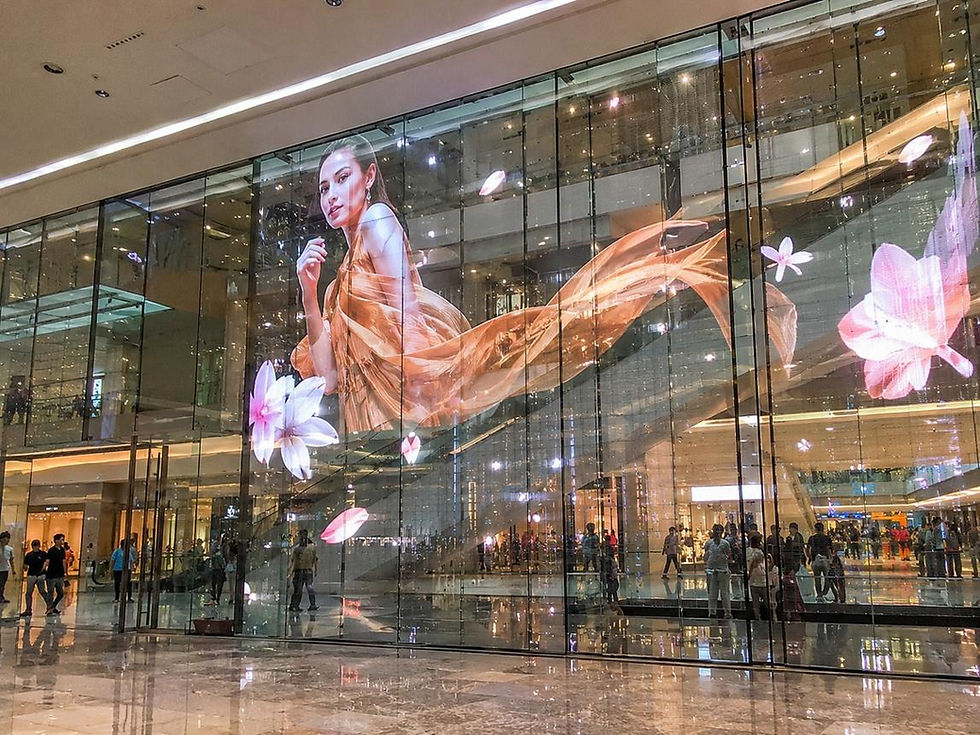
LED haberleri ve ekran teknolojileri, etkinliklerde görsel kalitenin ne kadar önemli olduğunu gösteriyor. Doğru ekran seçimi, parlaklık ve sahneyle uyumlu kurulum izleyici deneyimini güçlendirir. İyi planlanmış LED ekran kiralama çözümü, lansman, fuar ve canlı etkinlikleri daha modern ve profesyonel gösterebilir.